is damaged and can’t be opened. You should move it to the Trash 解决方法
苹果系统下载的第三方应用打开后弹出
“XXXXX” is damaged and can’t be opened. You should move it to the Trash
的信息,理论上我们此时只要打开
System Preferences->Security & Privacy并勾选AnyWhere
就可以了,但是最近却发现
AnyWhere
不见了?
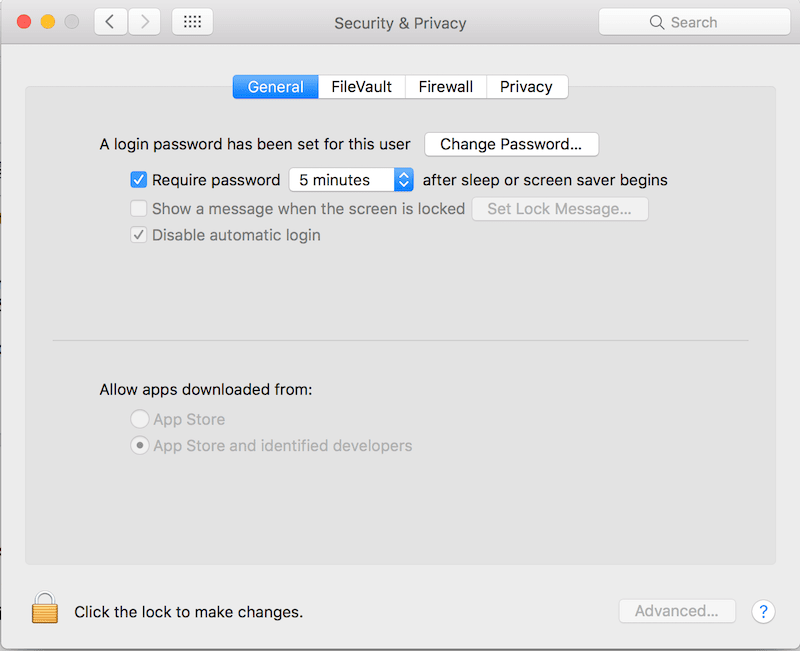
其实这个选项并不是真的不见了,是苹果为了安全而隐藏了,如何找回
AnyWhere
?打开命令行,输入:
| 1 | sudo spctl --master-disable |
输入你的系统密码,然后你就会发现
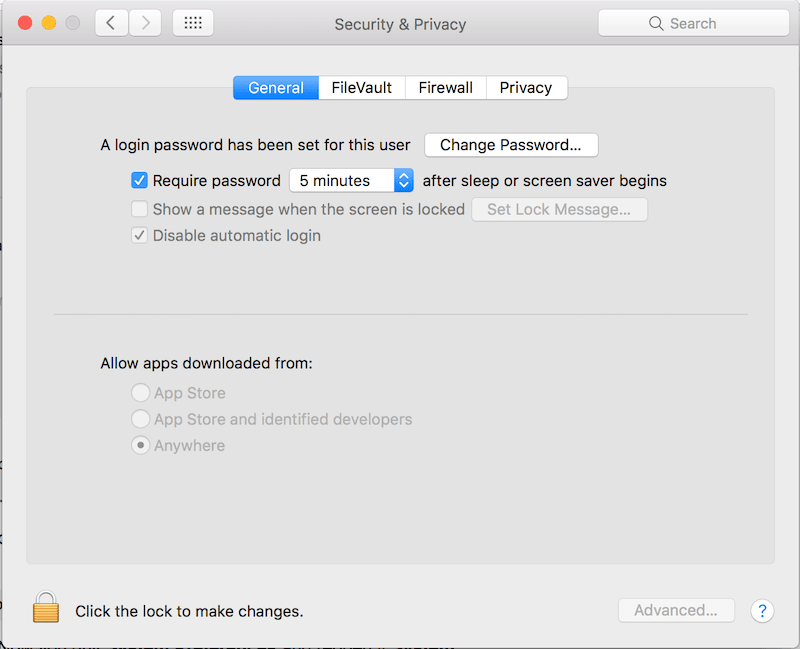
Anywhere 又回来了,现在重新打开软件,一切正常。
开心的使用你的新软件吧~